

Build · Analyze · Innovate Locally
ChakyBricks is an offline desktop lakehouse for Windows. Import data files of up to about 10 GB, explore them with SQL, work with them in Python notebooks, build dashboards and schedule jobs — all on your own machine, with no server, no account and no internet connection needed.
Windows protected your PC?
The installer is not code-signed yet, so Windows SmartScreen may show "Windows protected your PC" when you run it. Click More info, then Run anyway. This is expected for new, unsigned apps; the full source code is on GitHub.
What you can do
-
Import and catalog
A streaming wizard turns CSV, TSV, Parquet, JSON and Excel files into Delta tables, with editable column types, partitioning and a live preview. Arabic and other non-Latin column names work.
-
SQL editor
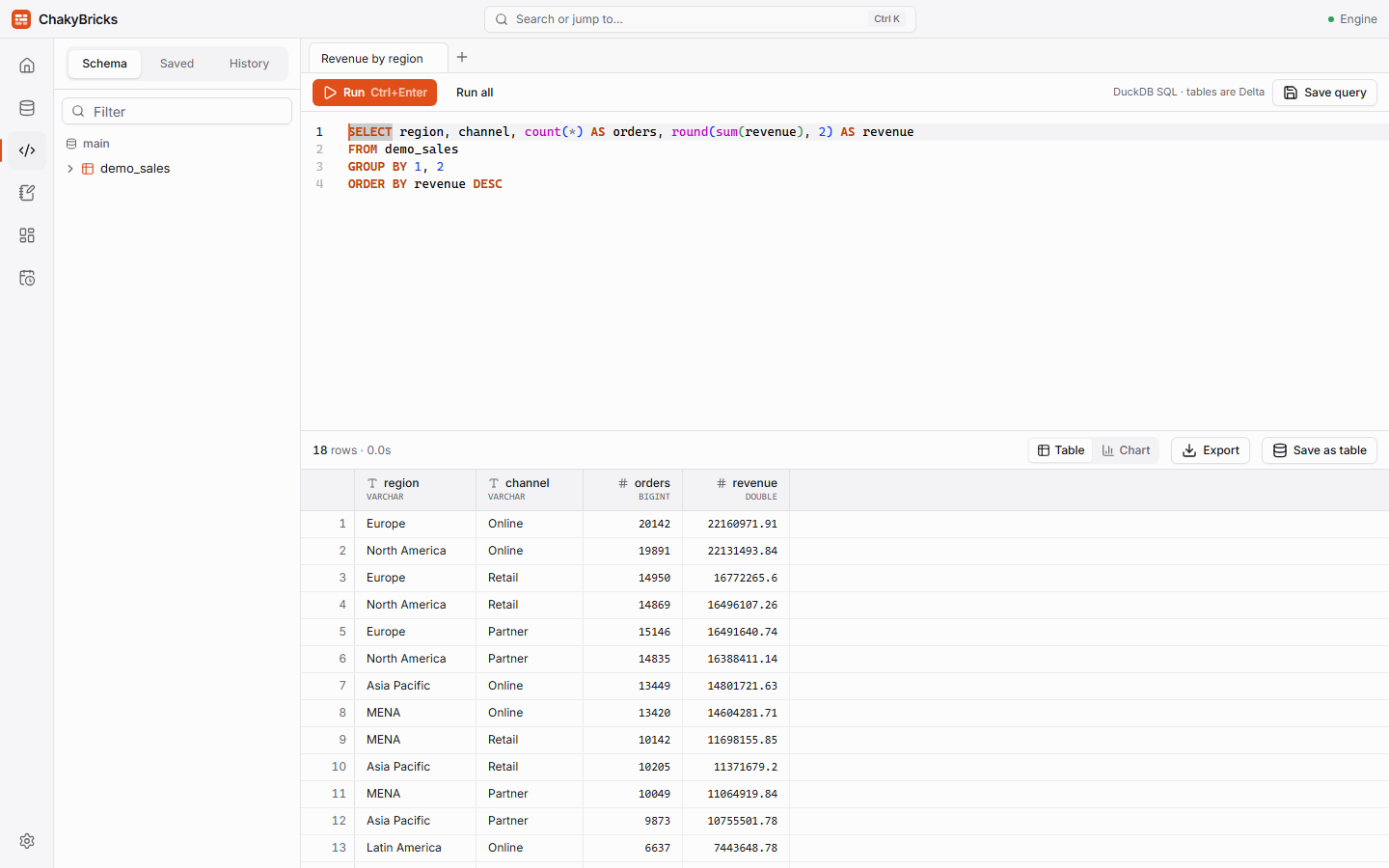
DuckDB with table and column autocomplete, a virtualized result grid, column statistics, charts, saved queries, history and export to CSV or Parquet.
-
Python notebooks
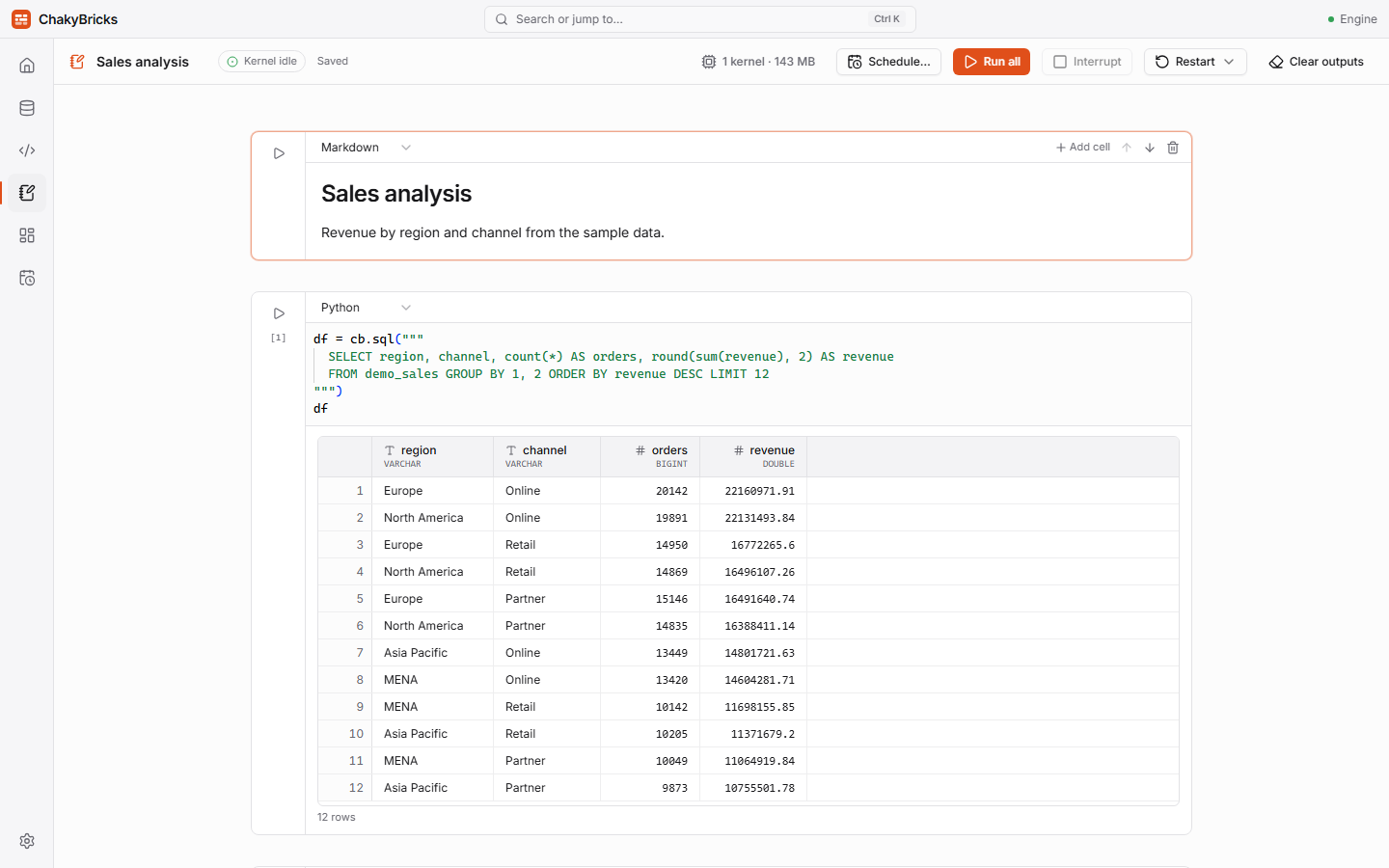
Jupyter-compatible notebooks with Python, SQL and Markdown cells. Polars, pandas, Plotly and matplotlib included,
%pip installfor more, and thecbhelper for your tables. -
Dashboards
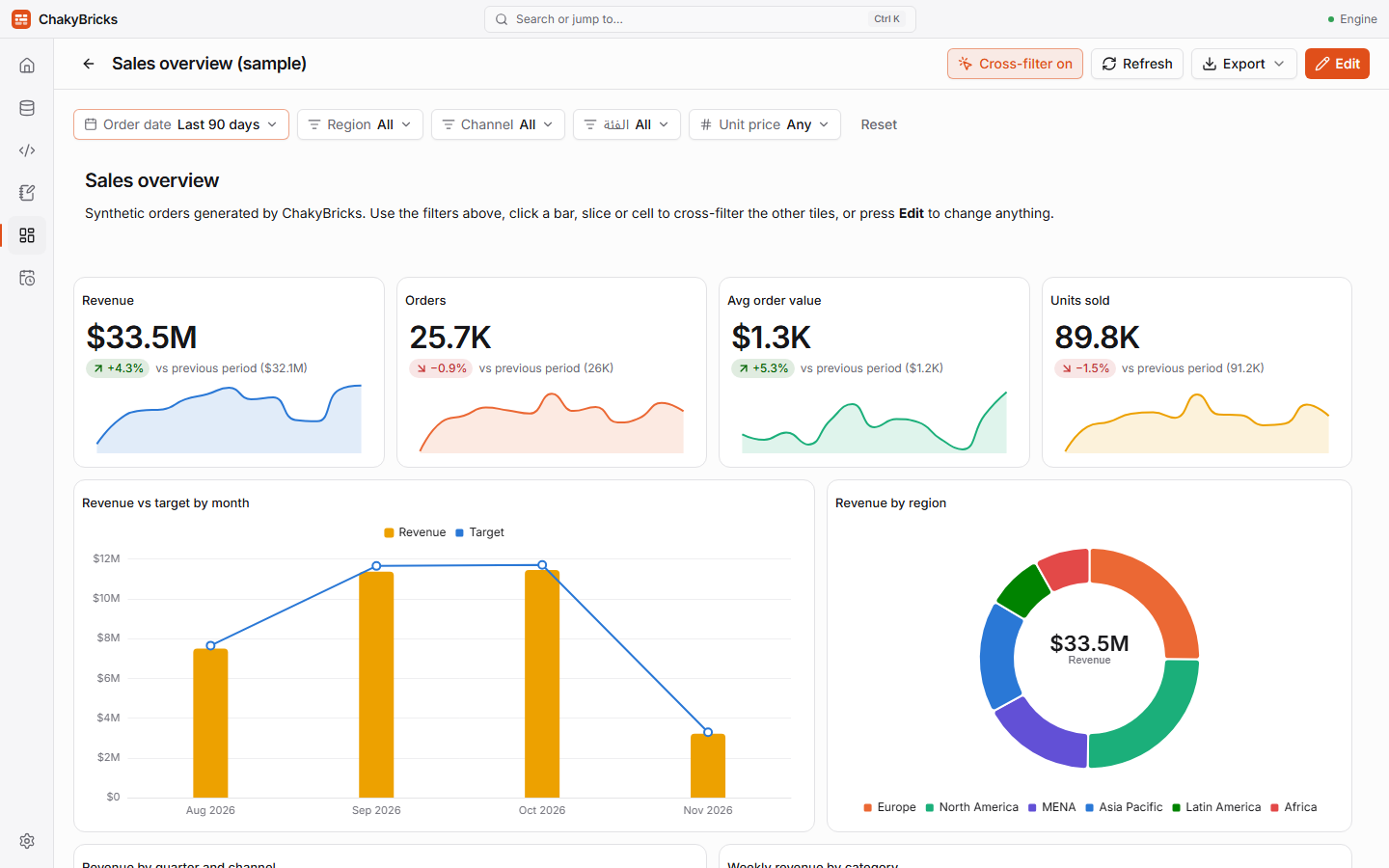
A no-code tile builder with charts, KPI scorecards, tables and text, global filters, cross-filtering, palettes and export to PNG or PDF.
-
Jobs
Run a notebook or a saved query on a schedule — every few minutes, daily, weekly, monthly or with a cron expression — with run history and live logs.
-
Private by design
Your data stays in a folder on your computer. Nothing needs an internet connection; only installing extra Python packages does.
See it in action
Fast on large data
Tested with a synthetic 88.5-million-row, 10.2 GB CSV on a 16 GB machine (15.4 GB RAM, DuckDB memory limit 9.2 GB):
No out-of-memory errors; queries that do not fit in memory spill to disk, with a cap that protects your drive. See the full numbers and how to reproduce them.
Requirements
- Windows 10 or 11, 64-bit, with WebView2 (already part of current Windows 10/11).
- About 1 GB of disk space for the application, plus room for your data and for temporary query files.
- 8 GB of RAM or more is recommended for large datasets; 16 GB for files around 10 GB.
- Nothing else to install: ChakyBricks ships its own Python.
Install in three steps
- Download the installer (
ChakyBricks_1.0.0_x64-setup.exe) and run it. - If Windows shows "Windows protected your PC", click More info → Run anyway.
- Start ChakyBricks from the Start menu and follow Getting started.